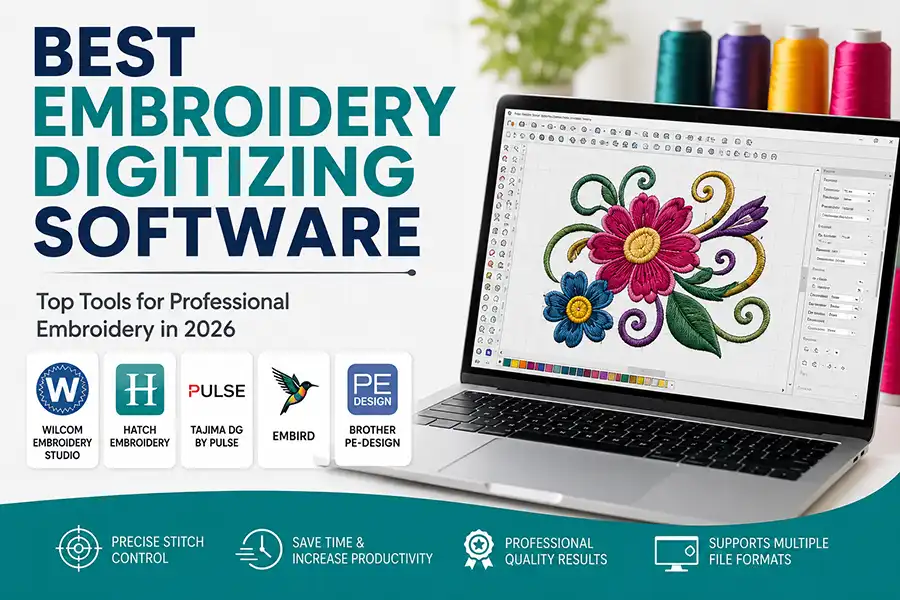
Best Embroidery Digitizing Software: Top Tools for Professional Embroidery in 2026
Embroidery digitizing has become an essential part of the modern embroidery industry. Whether you own a commercial embroidery business, run a home-based embroidery shop, or offer professional digitizing services, choosing the right embroidery digitizing software can significantly impact the quality of your designs and production efficiency.
Embroidery digitizing has become an essential part of the modern embroidery industry. Whether you own a commercial embroidery business, run a home-based embroidery shop, or offer professional digitizing services, choosing the right embroidery digitizing software can significantly impact the quality of your designs and production efficiency.
With dozens of software options available in the market, selecting the best embroidery digitizing software can be challenging. Some programs are designed for beginners, while others provide advanced tools for professional digitizers who need complete control over stitch creation and editing.
In this guide, we'll explore the best embroidery digitizing software solutions available today and help you choose the right platform for your embroidery needs.
What Is Embroidery Digitizing Software?
Embroidery digitizing software converts artwork, logos, images, and designs into embroidery machine-readable files. These files contain stitch instructions that guide embroidery machines on how to sew a design accurately onto fabric.
Unlike graphic design software, embroidery digitizing software focuses on stitch types, density, underlay, pull compensation, sequencing, and thread paths. A skilled digitizer uses these tools to create clean, professional embroidery results.
Why Choosing the Right Digitizing Software Matters
The quality of your embroidery largely depends on the quality of your digitized file. Even the most advanced embroidery machine cannot produce excellent results from a poorly digitized design.
The right software helps you:
Create accurate stitch patterns
Improve embroidery quality
Reduce thread breaks
Save production time
Increase customer satisfaction
Handle complex logo digitizing projects
Scale your embroidery business
Let's look at the top embroidery digitizing software options used by professionals worldwide.
1. Wilcom Embroidery Studio
Best for Professional Digitizers
Wilcom Embroidery Studio is widely regarded as the industry standard for professional embroidery digitizing. It offers advanced manual digitizing tools, powerful editing features, and precise stitch control that professional embroidery businesses rely on daily.
Key Features
Advanced manual digitizing tools
Auto-digitizing capabilities
Professional lettering tools
Applique creation
Stitch simulation
Multi-format file support
Complete stitch editing control
Pros
Industry-leading stitch quality
Excellent for commercial embroidery
Extensive customization options
Supports complex embroidery designs
Cons
Higher learning curve
Premium pricing
If your business handles high-volume embroidery production or complex logo digitizing projects, Wilcom remains one of the most powerful choices available. Many embroidery professionals consider it the benchmark for commercial digitizing software.
2. Hatch Embroidery Software
Best for Small Businesses and Growing Embroidery Shops
Hatch Embroidery is developed by the creators of Wilcom and offers many professional-level features in a more user-friendly package. It combines powerful digitizing capabilities with an easier learning curve, making it ideal for beginners and intermediate users.
Key Features
Auto-digitizing tools
Manual digitizing capabilities
Professional font library
Monogramming tools
Design customization
Built-in tutorials
Vector artwork conversion
Pros
Beginner-friendly interface
Professional results
Excellent training resources
Affordable compared to full Wilcom
Cons
Some advanced features require higher editions
Many embroidery professionals recommend Hatch as the best balance between usability and professional performance. It is particularly popular among home businesses and small commercial embroidery shops.
3. Tajima DG by Pulse
Best for Advanced Commercial Embroidery Operations
Tajima DG by Pulse is another industry-leading embroidery digitizing solution used by commercial embroidery companies around the world. The software offers advanced editing tools, vector-based embroidery creation, and powerful automation features.
Key Features
Vector-based embroidery system
Automatic digitizing functions
Advanced stitch editing
Photo stitch capabilities
Professional lettering tools
Production management features
Cloud-based file management
Pros
Exceptional design flexibility
High-quality stitch generation
Suitable for large embroidery businesses
Strong integration with commercial workflows
Cons
Higher investment cost
Requires training to master
Many experienced digitizers appreciate Pulse for its detailed control and professional-grade capabilities, especially when working with complex corporate logos and large production runs.
4. Embird
Best Budget-Friendly Digitizing Software
Embird is one of the most popular affordable embroidery software solutions available. It offers modular functionality, allowing users to purchase only the features they need.
Key Features
Design editing
Lettering tools
Digitizing modules
File conversion
Plugin support
Multiple embroidery format compatibility
Pros
Cost-effective
Flexible module system
Suitable for hobbyists and small businesses
Regular updates
Cons
Interface feels dated compared to modern software
Advanced features require additional modules
Embird is an excellent option for users who want professional capabilities without investing in expensive commercial software.
5. Brother PE-Design
Best for Brother Machine Users
Brother PE-Design is designed specifically for users of Brother embroidery machines. It offers a complete embroidery design solution with tools for editing, lettering, and digitizing.
Key Features
Auto-digitizing
Stitch editing
Photo stitch conversion
Built-in fonts
Design customization
Seamless machine integration
Pros
Easy to learn
Excellent for Brother users
Good auto-digitizing features
Reliable performance
Cons
Best suited for Brother machine owners
Limited flexibility compared to commercial software
Brother PE-Design is ideal for embroidery enthusiasts and small business owners who primarily use Brother embroidery equipment.
Features to Look for in Embroidery Digitizing Software
When comparing embroidery digitizing software, consider the following factors:
Manual Digitizing Tools
Professional-quality embroidery often requires manual stitch control. Look for software that allows you to create and edit stitches manually.
Auto-Digitizing Features
Auto-digitizing can save time by converting artwork into embroidery files automatically. However, manual adjustments are often necessary for optimal results.
File Compatibility
Choose software that supports popular embroidery file formats such as:
DST
PES
EXP
JEF
VP3
EMB
Lettering and Monogramming
Built-in fonts and lettering tools can improve productivity when creating names, logos, and custom text designs.
Learning Resources
Tutorials, training videos, and customer support can significantly reduce the learning curve.
Which Embroidery Digitizing Software Is Best?
The answer depends on your experience level and business goals.
For Beginners
Hatch Embroidery
Brother PE-Design
Embird
For Small Businesses
Hatch Embroidery
Embird
Brother PE-Design
For Professional Digitizers
Wilcom Embroidery Studio
Tajima DG by Pulse
For Commercial Production
Wilcom Embroidery Studio
Tajima DG by Pulse
Final Thoughts
Investing in the best embroidery digitizing software is one of the most important decisions for any embroidery business. While software can simplify the digitizing process, professional embroidery still requires knowledge, practice, and experience.
For beginners and growing businesses, Hatch Embroidery offers an excellent balance of power and usability. Professional digitizers often prefer Wilcom Embroidery Studio or Tajima DG by Pulse for their advanced capabilities and precision.
If you're looking for professional embroidery digitizing services instead of investing in expensive software, our team at Needledigitizing provides high-quality logo digitizing, custom embroidery digitizing, cap digitizing, and applique digitizing services with fast turnaround times and competitive pricing.
Contact Needle Digitizing today and let our experienced digitizers transform your artwork into production-ready embroidery files that deliver outstanding stitch quality every time.
Tags: